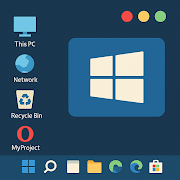


Computer Launcher Mod is a utility app that replaces the default Android launcher with a Windows 11-style desktop interface. It is designed for users who prefer a PC-like workflow on their mobile device, featuring a start menu, taskbar, file explorer, and desktop widgets. The app falls into the system customization category, providing an alternative shell for device interaction.
What This Mod Unlocks
- All premium themes and icon packs are unlocked.
- All live wallpaper and background customization options are available without payment.
- Advertisements within the launcher interface have been disabled.
- Pro-level widget customization, including RAM monitors and news feeds, is fully accessible.
- The premium app locking feature for enhanced privacy is activated.
The most significant mod feature, the unlocked premium themes, is accessed immediately upon launch. No activation menu is required; the full catalog of themes and customization tools is available in the settings panel from the first use.
Computer Launcher Mod requires Android 8.0 or higher. The installation occupies approximately 16 MB of storage. Root access is not required for installation or for any mod functionality.
Installation follows standard sideloading procedure: download the APK file, enable installation from unknown sources in Android settings, open the downloaded file, and follow the on-screen prompts. After installation, set Computer Launcher Mod as the default home app when prompted.
Known edge cases include the possibility of the modded features resetting if the app's data is cleared from device settings. The ad removal is client-side and does not affect network calls. Some system-level Android restrictions on live wallpapers or accessibility services may still apply, independent of the mod.